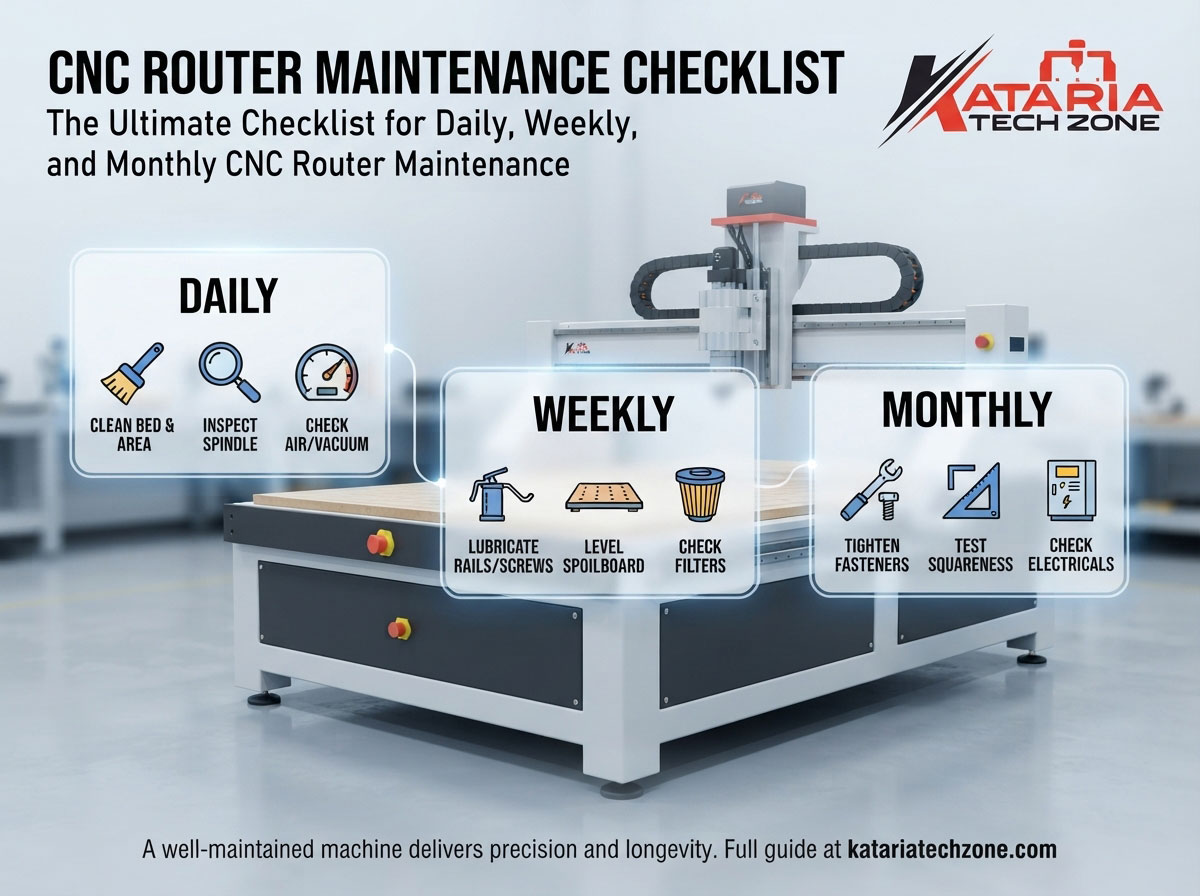
A CNC router is one of the most productive machines in a modern workshop. It cuts, carves, drills and engraves around the clock with a precision no manual process can match. But that precision depends on one thing owners often neglect: consistent maintenance.
Most CNC router breakdowns are not sudden. They build up slowly from dust in the rails, a dry ball screw, a worn collet or a clogged filter. A few minutes of care each day can prevent weeks of downtime and expensive repairs.
This guide gives you a complete CNC router maintenance checklist split into daily, weekly and monthly tasks, plus quarterly and yearly checks, troubleshooting signals and common mistakes. Print it, pin it near your machine and make it part of your shop routine.
Why CNC Router Maintenance Matters
Before the checklist, here is why it pays off.
- Accuracy stays consistent. Dirty or dry motion components cause position errors, which show up as poor joints, uneven depth and rough edges.
- Tools last longer. A worn collet or a spindle with runout destroys bits quickly. Our guide on how to prevent tool breakage on CNC routers covers bit selection and speed, and maintenance is the other half of that equation.
- Downtime drops. Planned maintenance takes minutes. Emergency repair takes days, plus lost orders.
- Safety improves. Working emergency stops, tight guards and clear dust paths protect your operators.
- Resale value holds. A well-kept machine with a documented service history is worth far more on the used market.
If you are new to these machines, start with our overview, What Is a CNC Router for Woodworking, to understand the main components you will be maintaining.
Before You Start: Basic Maintenance Rules
Follow these rules every time you work on the machine:
- Power down and lock out before cleaning or adjusting anything near moving parts.
- Use the right tools. Use a vacuum or soft brush for dust. Avoid compressed air on rails and bearings, because it blows grit deeper into them.
- Use the lubricants specified in your machine manual. Mixing grease types can cause problems.
- Keep a maintenance log. Record dates, tasks done and any unusual sounds or readings. Patterns in the log reveal problems early.
- Wear safety gear. Safety glasses, a dust mask and gloves are the minimum.
Daily CNC Router Maintenance Checklist
Daily tasks take 10 to 15 minutes. Do them at the start or end of every shift.
1. Clean the Machine Bed and Surroundings
Remove chips, dust and offcuts from the table, the gantry and the area around the machine. Buildup on the bed can stop material sitting flat, which ruins depth accuracy.
2. Inspect and Clean the Spindle and Collet
- Wipe the spindle nose and collet nut clean.
- Check the collet for scratches, wear or resin buildup.
- Confirm the collet matches the shank size of the bit you use.
A dirty or worn collet is a leading cause of bit slippage, runout and breakage.
3. Check the Router Bit
Look at every bit before use. Replace any with chipped edges, burn marks, bent shanks or heavy resin buildup. Dull tools raise cutting forces, strain the spindle and leave a poor finish. For material-specific advice, see our guide to CNC routing solid wood vs. engineered wood.
4. Check the Dust Collection System
- Empty the dust bin or bag if it is more than half full.
- Check the dust shoe or brush for damage.
- Make sure hoses are not kinked, blocked or loose.
Poor extraction hurts air quality and also increases wear on your machine.
5. Test the Emergency Stop and Safety Features
Press the emergency stop and confirm it halts the machine. Check that guards, covers and limit switches are in place and working.
6. Check Air Pressure and the Vacuum Pump (if fitted)
If your machine has an automatic tool changer or pneumatic parts, confirm air pressure is in the correct range. On vacuum-table machines, check that the gauge reads normally and the pump is running without unusual noise.
7. Check Coolant or Spindle Cooling
For water-cooled spindles, confirm coolant level and flow before starting. Air-cooled spindles need clear vents free of dust.
8. Warm Up the Spindle
Run the spindle at low speed for a few minutes, especially on cold mornings, before cutting. This helps lubricate bearings and reduces thermal stress.
9. Quick Visual Walkaround
Look for loose cables, leaking fluids, loose bolts or anything that looks different from yesterday. Listen for unusual noises when the axes jog.
Daily checklist summary
| Task | Time |
|---|---|
| Clean bed and area | 3–5 min |
| Spindle, collet and bit check | 3 min |
| Dust collection check | 2 min |
| E-stop and safety test | 1 min |
| Air, vacuum and cooling check | 2 min |
| Warm-up and walkaround | 3 min |
Weekly CNC Router Maintenance Checklist
Weekly tasks take 30 to 45 minutes. Pick a quiet time, such as the end of the week.
1. Deep Clean the Rails, Racks and Lead Screws
Remove dust and grime from linear guide rails, rack and pinion gears and ball screws using a soft brush and lint-free cloth. Never use compressed air here.
2. Lubricate Moving Components
Apply the recommended lubricant to:
- Linear bearings and guide rails
- Rack and pinion systems
- Ball screws or lead screws
Use the amount in the manual. Too much grease attracts dust and creates a grinding paste.
3. Inspect the Spoilboard
Check the spoilboard for deep grooves, burns and uneven areas. Resurface it with a surfacing bit if it is no longer flat. A flat spoilboard is essential for consistent cut depth, particularly for engraving and V-carving.
4. Check Vacuum Table Seals and Gaskets
Inspect gaskets and zones for cracks, wear or clogging. Replace them if you notice vacuum loss. Poor holding force is dangerous at high feed rates.
5. Clean or Replace Filters
Check the dust collector filter, the vacuum pump filter and any air line filters. A clogged filter forces motors to work harder and can cause overheating.
6. Inspect Belts, Couplings and Drive Components
Look for fraying, cracking or looseness on belts. Check couplings between motors and screws for play.
7. Check Cables and Drag Chains
Inspect cable carriers for worn cables, loose connectors or pinched wires. Cable damage can cause intermittent faults that are hard to diagnose.
8. Verify Zero Points and Tool Length Sensor
Confirm that your work origin and tool length sensor read consistently. Run a short test pass if you are unsure.
9. Check Water-Cooled Spindle Coolant Quality
Look at the coolant for cloudiness, debris or algae. Top up or replace as needed.
Weekly checklist summary
| Task | Time |
|---|---|
| Clean rails, racks and screws | 10 min |
| Lubrication | 10 min |
| Spoilboard inspection | 5 min |
| Vacuum gaskets and filters | 10 min |
| Belts, cables and drag chains | 5 min |
| Zero point and sensor check | 5 min |
Monthly CNC Router Maintenance Checklist
Monthly tasks take one to two hours. Schedule them for a planned maintenance window.
1. Check and Tighten All Fasteners
Vibration loosens bolts over time. Check gantry bolts, motor mounts, bearing blocks, spindle brackets and table fixings. Tighten to the manufacturer’s torque values.
2. Test Machine Squareness and Alignment
Confirm the gantry is square to the table and that the spindle is perpendicular to the bed. Cut a simple test square and measure its diagonals. Unequal diagonals show the machine needs adjustment.
3. Measure Spindle Runout
Using a dial indicator, check spindle and collet runout. Excess runout leads to poor finishes and short tool life. If it is out of tolerance, clean or replace the collet first, then consult a technician about the spindle.
4. Check Backlash and Axis Accuracy
Test each axis for backlash by moving a known distance and checking for positional error. Adjust or service the drive components if needed.
5. Inspect the Electrical Cabinet
With power isolated, look inside the control cabinet for dust, loose terminals, burn marks or signs of moisture. Clean gently with a vacuum and make sure cooling fans and vents are clear.
6. Service the Vacuum Pump
Check the oil level and condition if you have an oil-lubricated pump. Clean intake screens and inspect hoses and fittings.
7. Clean and Inspect Coolant Circuit
Flush or replace coolant for water-cooled spindles, and check pipes, pumps and connections for leaks.
8. Back Up Your Machine Settings and Files
Save controller parameters, tool libraries, offsets and important job files. A backup saves hours if the controller fails.
9. Review the Maintenance Log
Look back over the month’s notes. Repeated issues, such as a recurring noise or a drifting axis, deserve attention before they become failures.
Monthly checklist summary
| Task | Time |
|---|---|
| Fastener check | 15 min |
| Squareness test | 15 min |
| Spindle runout and backlash | 20 min |
| Electrical cabinet | 10 min |
| Vacuum pump and coolant | 20 min |
| Backups and log review | 10 min |
Quarterly and Annual Checks
Beyond monthly work, plan these larger tasks:
Every three months
- Replace worn dust shoe brushes
- Re-grease or service bearings per the manual
- Inspect and tighten electrical connections
- Run a full calibration and accuracy test
Every year
- Arrange a professional inspection of the spindle, drives and controller
- Replace spindle bearings or other wear parts if required
- Update software and firmware as recommended
- Review your operators’ training and safety procedures
Warning Signs You Should Never Ignore
Stop the machine and investigate if you notice any of these:
- Unusual grinding, squealing or clicking from axes or the spindle
- Burn marks on the material even with sharp tools
- Parts that no longer fit or dimensions that drift
- Vibration or chatter that was not present before
- Spindle overheating or alarm messages
- Weak vacuum hold on the table
- Inconsistent homing or repeated limit switch errors
Small signals usually point to small, cheap fixes if you act early.
Common CNC Router Maintenance Mistakes
- Using compressed air on rails and screws. This pushes abrasive dust into bearings.
- Over-lubricating. Excess grease collects dust and causes wear.
- Ignoring the collet. It is a small, cheap part that causes expensive damage.
- Skipping the log. Without records, you cannot spot patterns.
- Running dull tools. They strain the spindle and drives.
- Neglecting dust collection. Fine dust shortens the life of every electrical and mechanical part.
- Delaying repairs. A minor fault left alone often damages other parts.
Maintenance Tips for Different Materials
Different materials leave different residues, so adjust your routine:
- Wood and MDF: Fine dust is the main issue. Clean more often and check filters frequently.
- Acrylic and plastics: Melted residue can build on bits and the bed. See our guide to cutting and engraving acrylic on a CNC router and our article on PVC in CNC routing for material-specific tips.
- Stone: Water and slurry demand a dedicated routine. Read our water recirculation and filtration guide for CNC stone routers and our ultimate guide to CNC stone routing.
How to Build a Maintenance Culture in Your Workshop
A checklist only works if people use it. Here is how to make it stick:
- Assign ownership. Name one operator responsible for each task.
- Print and display the checklist next to the machine.
- Use sign-off sheets so every task is initialed and dated.
- Train new operators on the routine from day one.
- Stock spare parts such as collets, filters, gaskets and brushes, so a small failure never stops production.
- Review monthly and adjust the schedule based on your workload and materials.
Choosing a Machine That Is Easy to Maintain
Maintenance is easier on a well-built machine. When you evaluate a CNC router, look for:
- Accessible lubrication points
- Quality linear guides and drive components
- Sealed or protected rails and screws
- A well-organized, easily reached electrical cabinet
- Good manufacturer support and spare parts availability
At Kataria Tech Zone, we design our machines for durability and easy servicing. Explore our full range of CNC router machines for woodworking, our CNC stone router machines for marble and granite, and our laser marking machines for fine engraving and identification work.
Frequently Asked Questions
How often should I maintain my CNC router?
Do quick checks daily, deeper cleaning and lubrication weekly, and detailed inspections monthly. Add quarterly and yearly servicing for full reliability.
What is the most important daily CNC router maintenance task?
Cleaning the machine and checking the collet and bit. These two habits prevent the most common problems.
How often should I lubricate a CNC router?
Most machines need lubrication weekly on guides, racks and screws, but always follow your manual because intervals vary by model and workload.
Can I use compressed air to clean my CNC router?
Use it carefully on the table and cabinet exteriors, but avoid blowing it on rails, bearings and screws because it drives dust deeper into them.
How do I know if my spindle needs service?
Warning signs include rising noise, excessive heat, vibration, poor finish quality and measurable runout. Have a technician inspect it if you notice them.
How much does regular maintenance cost compared with repairs?
Routine maintenance costs mainly time and inexpensive consumables. Major repairs, such as replacing a spindle or screw, can cost far more and cause lost production.
Final Thoughts
A CNC router rewards the care you give it. With this daily, weekly and monthly routine, you protect accuracy, extend tool and component life, cut downtime and keep your operators safe. Start small: print the daily list, make it a habit and add weekly and monthly tasks as the routine becomes natural.
Looking for a reliable machine, spare parts guidance or help setting up a maintenance plan? Contact Kataria Tech Zone, India’s trusted manufacturer of CNC routers, CNC stone routers and laser machines. You can also browse more guides on our blog or visit our shop to see the full range.